
DIAGNOSTIC
Privacy Policy
Informativa sui Cookie
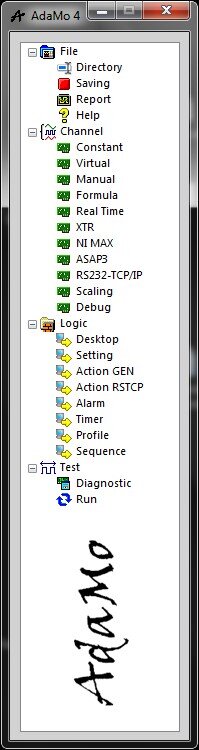
Selecting "Diagnostic" enters the sub-system in which it is possible to have all the logical channels of hardware origin (therefore not the Formulas, the Protocols, the Constants, the Manuals).
The channels are continuously updated both in acquisition and in generation, so it is an operating environment with direct access to the hardware.
They are not active or available:
- alarm controls
- timers
- data saving
- automations
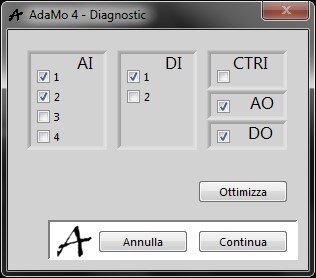
Entering it is possible to define how to group the available logical channels according to their type.
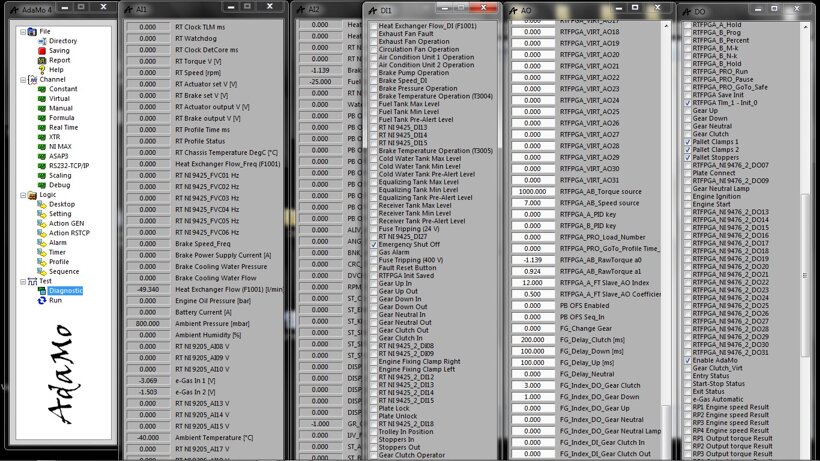
In this image we see an example of how this environment can present itself in a complex configuration.
In general, it’s possible to resize AdaMo windows by activating their properties using the "F2" function key, while the scroll bars become available or not by using the "F3" function key (each window returns to default size and position using the function keys "F5" and "F6").
Input channels are continuously updated by applying any scale but not any moving average.
The output channels are available with any scale, at the input they adopt the default value but no connections to other logical channels are active.
It’s not possible to enter "Diagnostic" while in "Run".
Privacy Policy
Informativa sui Cookie